
What is WordPress?
WordPress is one of the most widely used website building platforms and content management systems (CMS) in the world. Launched in 2003, it has grown into the backbone of more than 70 million websites. With WordPress, you can easily create and manage a blog, business site, portfolio, or even an online store — all from your web browser. The best part? WordPress is free, open-source, and user-friendly. HostingRaja offers reliable WordPress hosting in India with free setup and installation to get you started quickly.
How Does WordPress Work?
WordPress runs on PHP and MySQL, making it compatible with almost any modern web server. You can install WordPress on your hosting account in just a few minutes. Once installed, you can use its intuitive web-based editor to build and edit pages without needing to learn HTML or coding.
If you don’t want to host it yourself, there’s also a hosted version at WordPress.com, where you can launch a new site in seconds.
Why Choose WordPress?
There are several reasons why WordPress is the most popular CMS:
- ✅ Free & Open Source – No licensing fees.
- ✅ User-Friendly – Easy to learn for beginners.
- ✅ Highly Extensible – Thousands of plugins available.
- ✅ Customizable Designs – Choose or edit themes to match your brand.
- ✅ Multimedia Support – Easily add images, videos, and more.
- ✅ Flexible for Any Website – From blogs to eCommerce stores
How to Install WordPress Theme Manually?
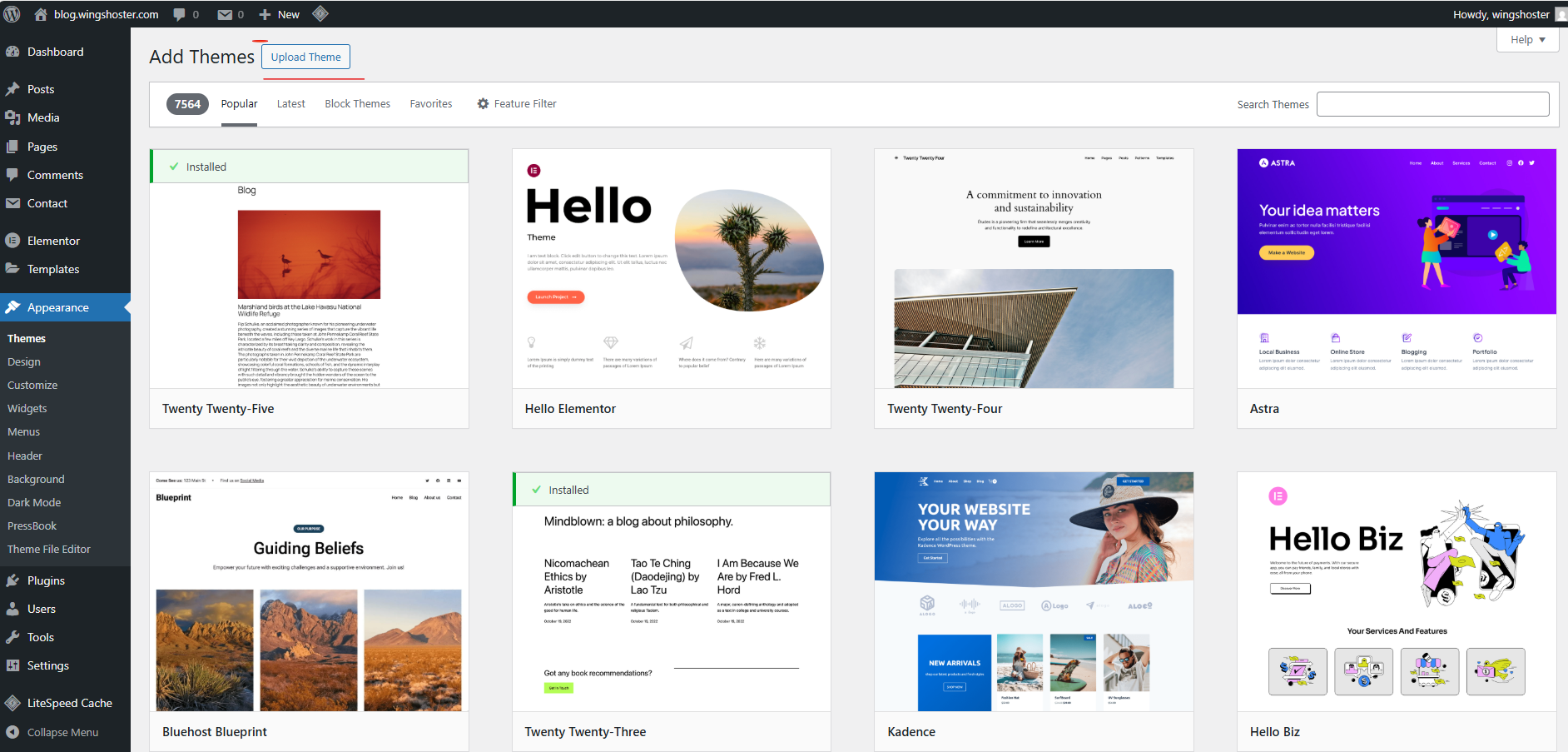
Follow these steps to manually install a WordPress theme:
- Login to your WordPress Admin Panel.
- Navigate to Appearance > Themes.
- Click on Add New.
- Choose from available themes using the Search/Filter options, or upload your own.
- Choose from available themes using the Search/Filter options, or upload your own.
- To upload, click Upload Theme and select the
.zipfile of the theme you downloaded. - Click Install Now.
- After installation, use Live Preview to see how the theme looks.
- Click Activate to make it live on your site.